Google Maps on a small screen
I’ve been starting to appreciate the potential of Greasemonkey lately. It’s a Firefox extension that allows you to write scripts to modify a website to work the way you want. For example, it lets me fix my gripe about Delicious not allowing me to save my password even if they won’t.
Seeing it in action spurred me to start finding solutions to other inconveniences. One of these is Google Maps. On the 7-inch screen of my little Eee PC, so much of the page is given over to extraneous elements that the actual map occupies a pathetic quarter of the screen even when running Firefox in full-screen mode.
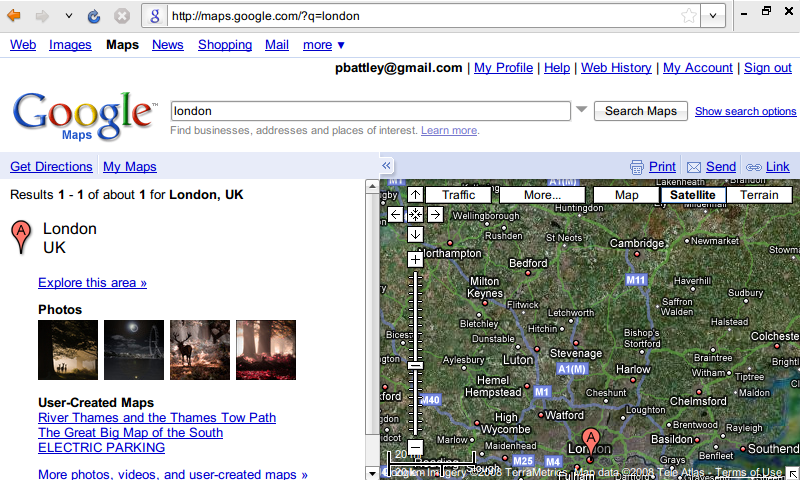
What I really want is to see just the map. I don’t use the route
guidance. I don’t need the search box—I usually just use the
?q= parameter in the URL anyway.
With Dive Into Greasemonkey for a reference, I wrote a few lines of script to hide the bits I didn’t want to see via CSS and to resize the map to fit the screen. It comes out like this:
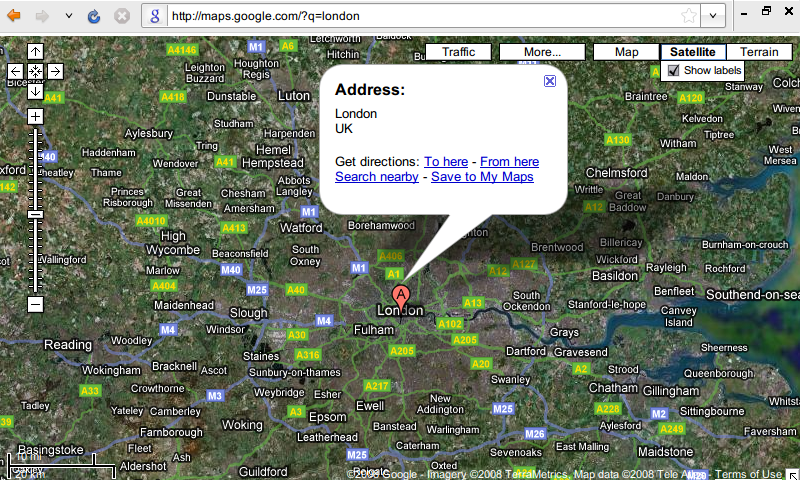
That’s a much better use of space, don’t you think?
You can get the script from userscripts.org.